# Pricing
🛒 Want to purchase now? Go to the Member Center Purchase Page (opens new window) — supports WeChat Pay / Alipay / PayPal online payment with automatic authorization code delivery.
# Plugin Subscriptions
| Module | Monthly | Annual | Lifetime | Discount |
|---|---|---|---|---|
| Catfish Tools | ¥75 | ¥449 | ¥1429 | Annual save ≈51% |
| Catfish Family Library | ¥75 | ¥449 | ¥1429 | Annual save ≈51% |
| Catfish Framing | ¥75 | ¥449 | ¥1429 | Annual save ≈51% |
| All-in-One Bundle (includes all modules above) | ¥185 | ¥1089 | ¥3199 | Annual save ≈50% |
| Catfish Cloud | ¥110 | N/A | N/A | Monthly subscription only |
- Trial Entry: 7-day All-in-One Bundle trial: ¥9.9 Only available for users whose computer has never been bound to any Catfish product. One purchase per person.
Note: Trial users must not click "Exit" in the plugin or clear computer cache, otherwise the trial cannot be completed.
- Worry-Free Upgrade Path: "First Month Upgrade Special": Within 30 days of purchasing an annual subscription, you can upgrade to a lifetime license by paying the difference.
After purchasing any annual subscription, you can upgrade to a lifetime license at any time during the validity period using the following formula: Upgrade difference = Lifetime price - (Annual price × remaining days / 365)
All-in-One Bundle Advantage: Purchasing the "All-in-One Bundle" saves significantly compared to purchasing three modules separately (total 3×449=¥1347 / 3×1429=¥4287). It's the optimal choice for full functionality.
License Information
A single activation code supports 2 device authorizations. Adding a 3rd device requires a half-price authorization. (Not recommended to log in on two computers simultaneously for extended periods — risk of code lock.)
- System Support
Compatible with Revit 2018-2027 all versions.
Note: Catfish Cloud supports Revit 2021–2027 all versions.
- Support
We recommend purchasing subscriptions directly from the Member Center (opens new window) for a more convenient process.
Major Upgrade! All-in-One Bundle Lifetime limited-time add-on benefits:
Add ¥399 to get three major benefits:
✅ Revit forward design video tutorial (value ¥1699) — beginners can get started quickly
✅ Companion e-book (value ¥99) — review anytime to fill knowledge gaps
✅ Exclusive interior decoration template — apply directly to projects, saving time and effort!
For payments via the ¥399 add-on or other amounts, please use the QR code payment below:
Lifetime license users support computer rebinding.
After payment, please send the order screenshot and desired module to email: 359818201@qq.com / catfishtool2026@outlook.com (recommended for overseas) or WeChat: liuyanhu001. Authorization codes will be sent immediately upon receipt. For urgent matters, call: 13633474543.
🌍 Overseas users who find it inconvenient to use WeChat/Alipay can use PayPal. Account: @liuyanhu (email: 359818201@qq.com). After payment, please also send the order screenshot and desired module to the above email (overseas users can also send to catfishtool2026@outlook.com).
💬 After purchase, please contact the author to join the after-sales group for technical support and latest information.
📧 Overseas users can also contact via email: catfishtool2026@outlook.com (recommended) or 359818201@qq.com for convenient communication.


# Book
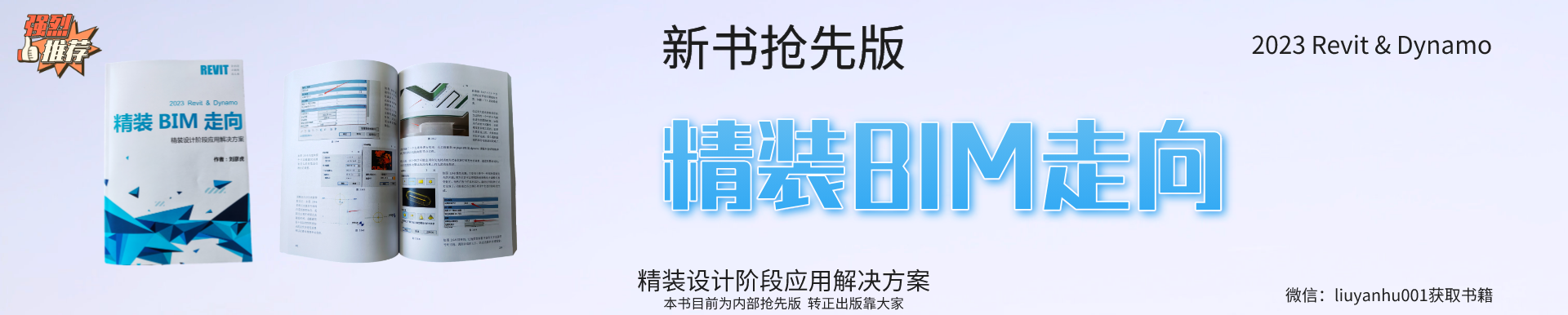
This book is currently an internal advance edition;
411 pages, full color print. Price: ¥120 (free shipping, +¥10 for Yunnan/Guizhou/Sichuan regions).
Also available with tutoring at ¥199 (includes book + Q&A).
Tutoring price: Based on self-study questions, answered in the group or via Douyin live streaming.
Note: This is not a full-system teaching course — it's Q&A for remaining issues after self-study.
Send shipping information for book subscription.
Preface: BIM as a full lifecycle application has different solutions for various stages of engineering projects including decision-making, design, bidding, construction, completion, and operations.
This book focuses on the in-depth application of interior decoration projects in the design phase, by deconstructing Revit software features and translating them to interior design usage.
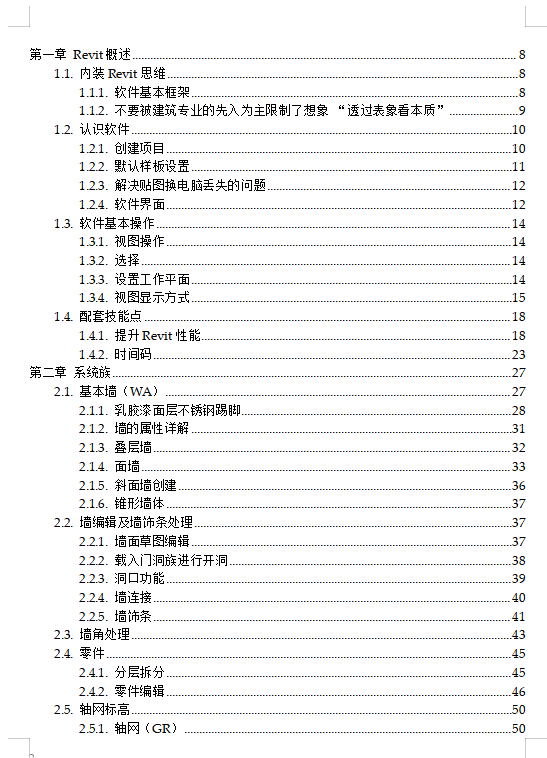
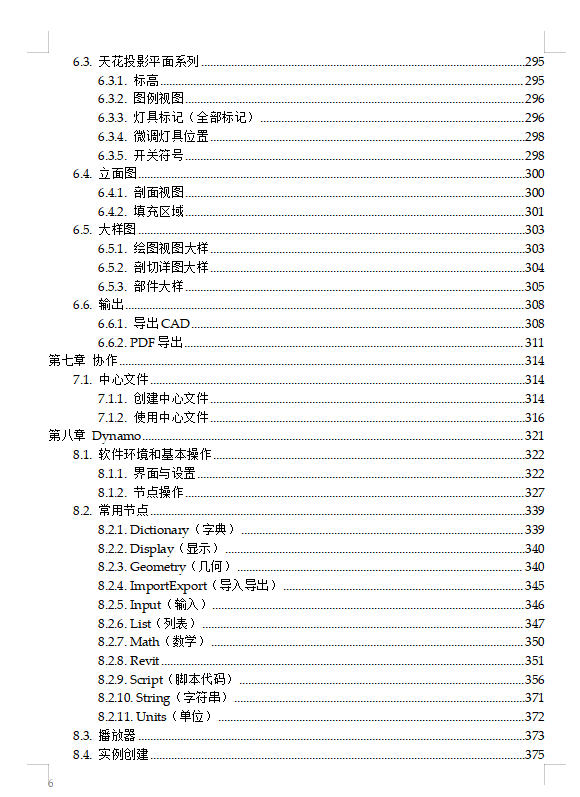
Chapter 1: Revit Overview — introduces the built-in concepts, basic software knowledge and operations, with additional skill points.
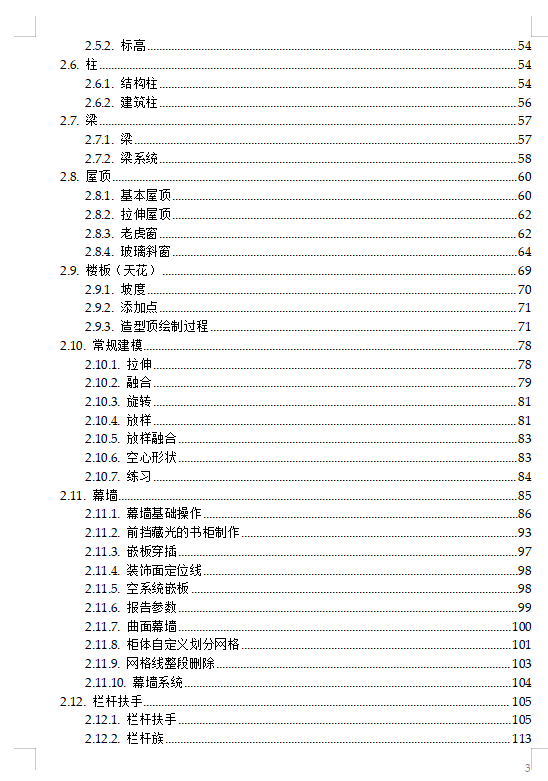
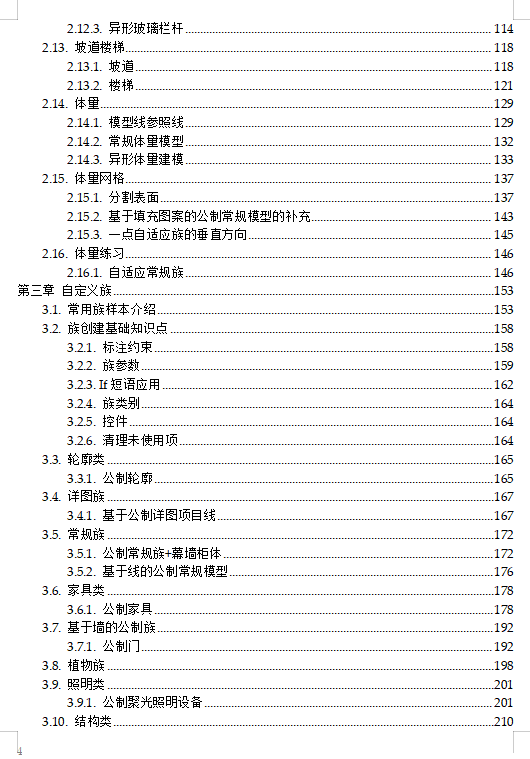
Chapter 2: Introduction and usage of system family features commonly used in interior design.
Chapter 3: Deconstruction of all custom family templates, analysis, summarization, and examples to enhance custom family creation ability.
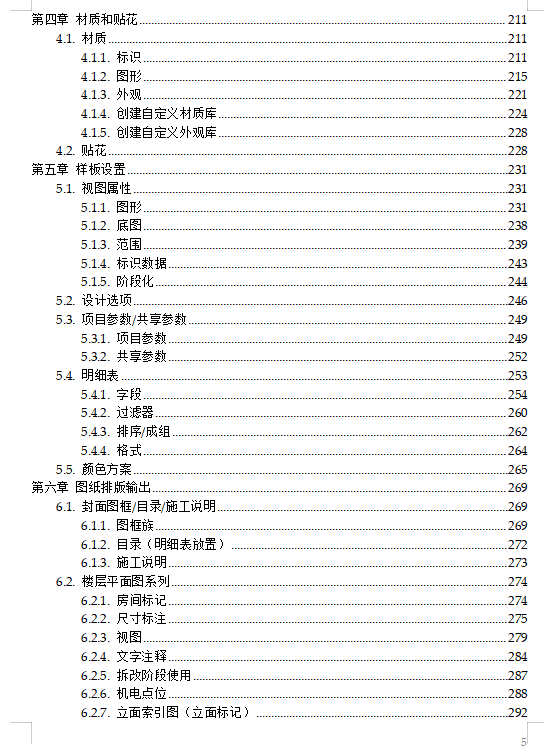
Chapter 4: All material properties including material settings in drawing and rendering effects.
Chapter 5: Detailed explanation of drawing template creation.
Chapter 6: Layout and output of common drawing types for interior design.
Chapter 7: Central file collaboration.
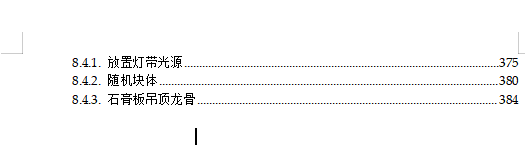
Chapter 8: Dynamo basics — explaining common nodes and learning Dynamo applications in interior design through case studies.
For BIM professionals in architecture, structure, and MEP, transitioning to interior design is challenging because these fields mostly use the software's built-in system families. So most tutorials only tell you how to operate the software, not how to apply it in specific fields like interior design.
This is why many people find interior design BIM difficult. Interior design projects differ from other fields in that they lack standardized components — most require custom families, and interior design drawings are more complex. Therefore, mastering family standard creation is the most fundamental requirement for learning interior design BIM.
If interior design also had a massive component library available, it could give interior design BIM wings to fly.
If you find this book helpful, please recommend it to fellow BIMers around you.
We hope this book helps everyone enter the new field of interior design BIM.
Table of Contents