# Cleanup
# Cleanup Sections

Clean up all temporary sections in the project. Screening is based on whether the section view has dimensions and whether it has been placed on a sheet.
Effectively cleans up temporary section views created during modeling.
# Cleanup Junk

Clean up all unused items in the project. Simplifies the "Purge Unused" function — one step direct cleanup.
Includes cleanup of unused materials.
Use cases:
Clean up during project archiving.
Also pay attention to cleanup in custom families to avoid bringing too much junk into the project.
Watch tutorial video on Bilibili → Cleanup Sections & Junk (opens new window)
# Cleanup Materials
Clean up only unused materials. Use case: during project creation.
Watch tutorial video on Bilibili → Cleanup Materials (opens new window)
# Delete Duplicates

Remove duplicate components at the same location.
Box-select the models to clean up duplicates. The window shows the number of deleted items.
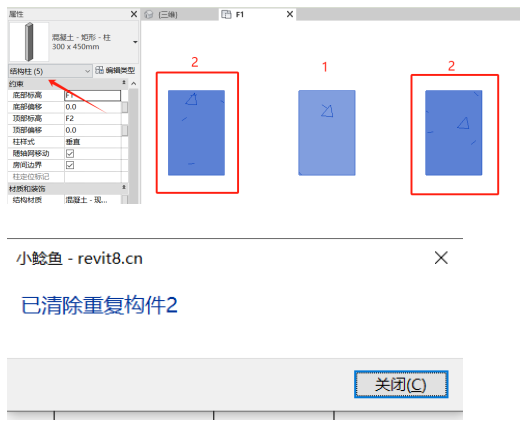
Currently mainly targets point-placed families for cleanup.
# Full Ungroup
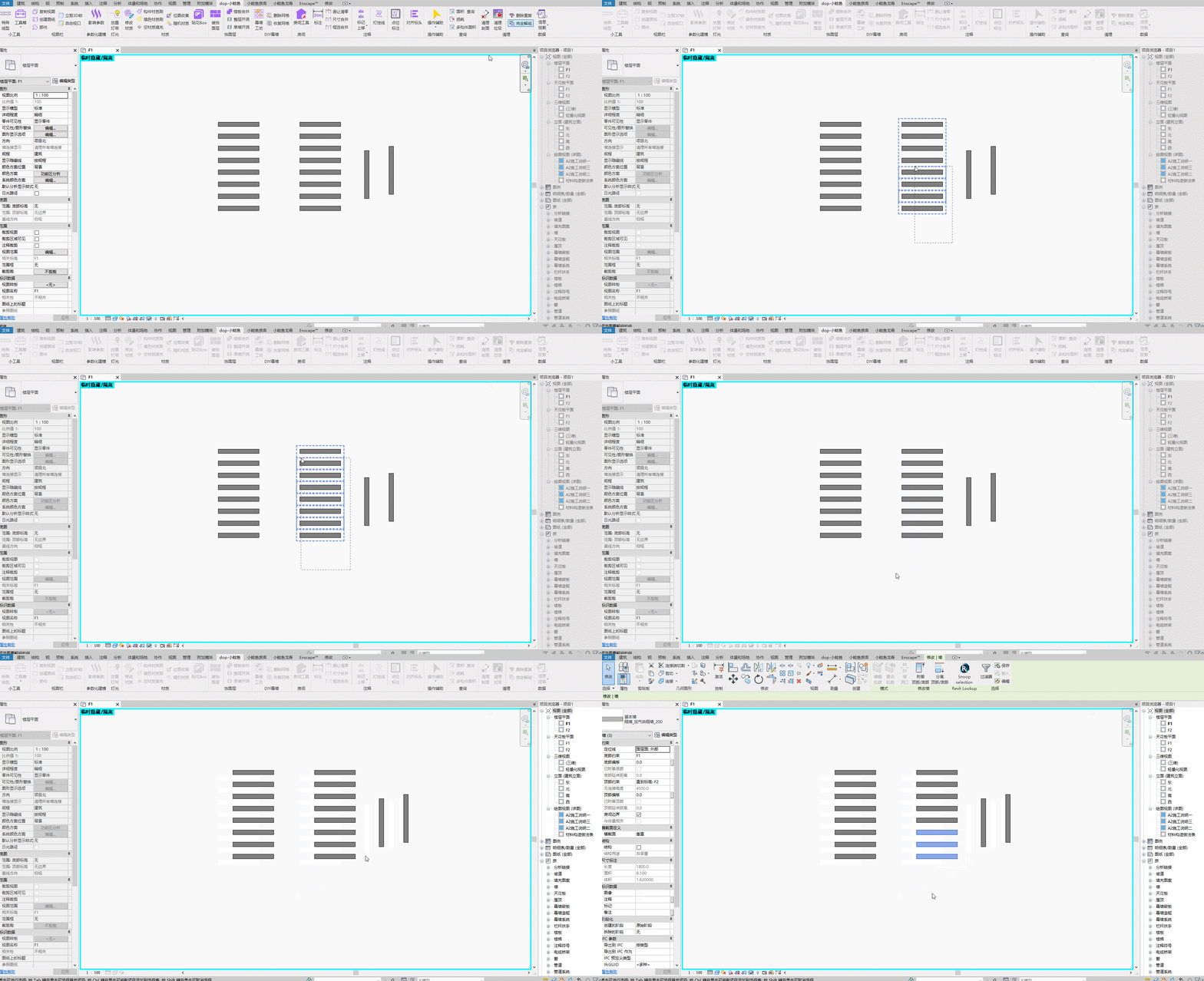
Quickly deep-ungroup box-selected groups.
Steps: Box-select groups to ungroup. Selection is filtered to only select groups → can be operated continuously.
Watch tutorial video on Bilibili → Delete Duplicates & Full Ungroup (opens new window)