# Data
# Information Mounting

Write length, area, volume, fire rating, cost, category, subcategory, type, and assignment to models.
Watch tutorial video on Bilibili → Information Mounting (opens new window)
# Model Information

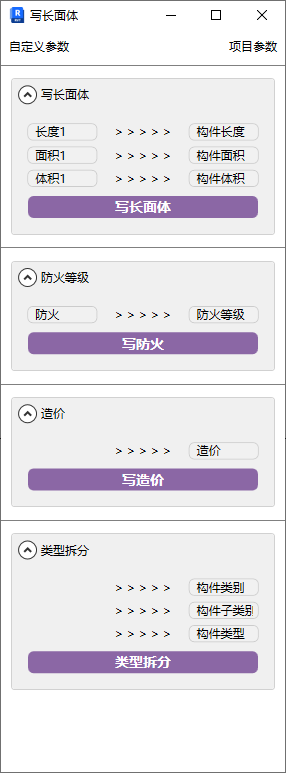
Before writing information, confirm that corresponding project parameters have been added and match the parameters in the window.
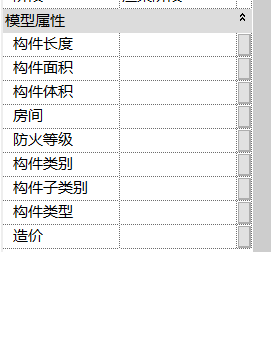
- Parameter Details
- Write Length/Area/Volume: Read the component's own geometric information and assign length, area, and volume properties for presentation in schedules.
The custom section of Write Length/Area/Volume mainly targets custom families to determine parameter names. System families don't need attention.
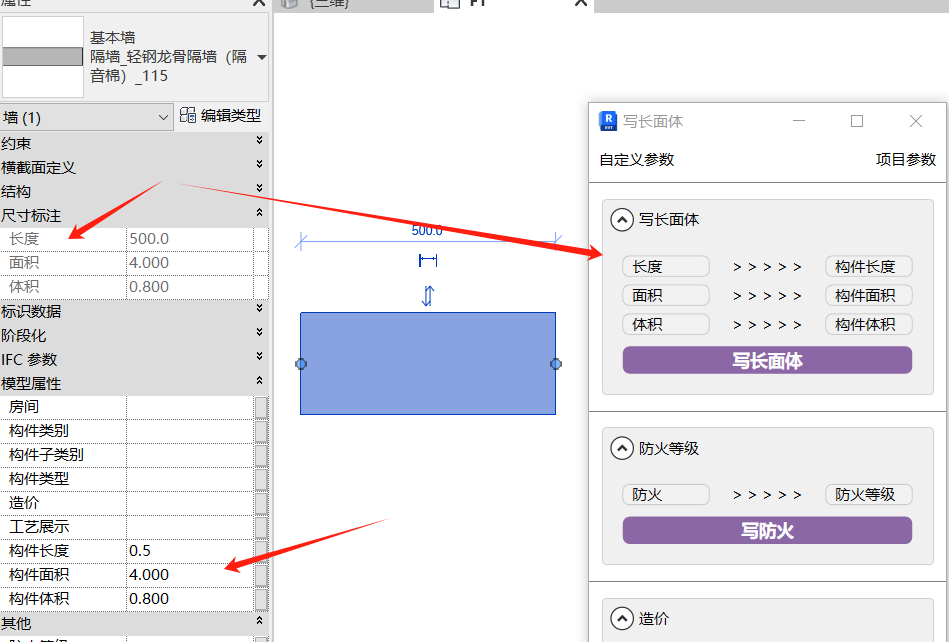
- Fire Rating: Read the identity data from the model's own type and assign fire rating properties.
- Cost: Read the identity data from the model's own type and assign cost properties.
- Type Split: Split the model name into a three-part format for category-based summarization in schedules. For example: "Partition_Light Steel Frame Partition (Soundproof Cotton)_115" is a three-part name.
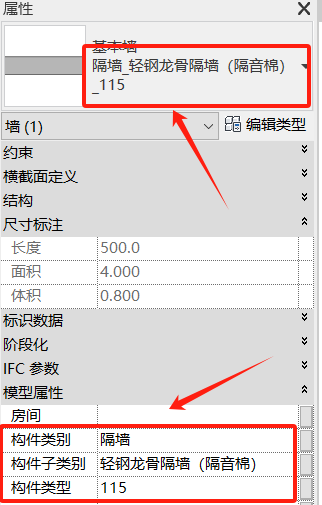
Box-select the models to write, then click the corresponding function to write. Can also be operated directly in schedules.
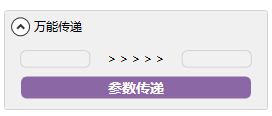
- Universal Transfer:
Transfer various parameter information from the model to corresponding project parameters in text form.
# Write Project Base Point

One-click adjustment of project base point position.
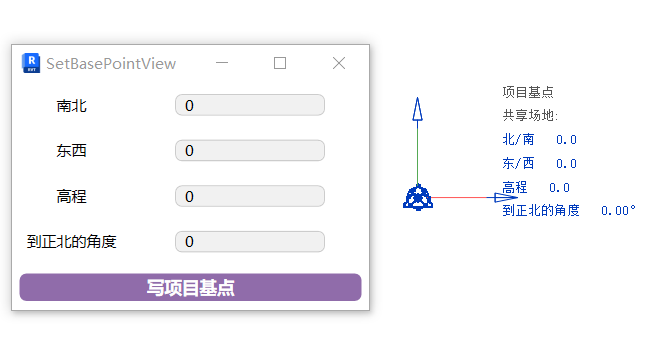
For large project files in later stages, modifying the project base point has a response time for each data entry. The plugin can submit all filled information at once.
# Multi-Project Base Point
Modify the same project base point parameters for multiple project files without opening them.
Steps: Fill in project base point parameters → Click the command → Box-select project files to modify.
Watch tutorial video on Bilibili → Multi-Project Base Point (opens new window)
# Name Audit

Assists the "Type Split" function by quickly checking whether model names follow the three-part naming convention.
Box-select models to check, then click the function to display types that don't follow the three-part naming convention.
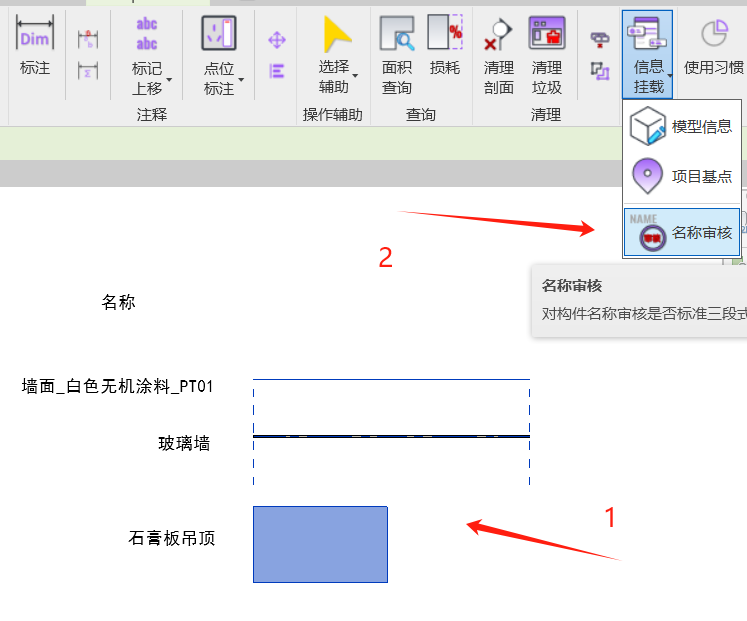
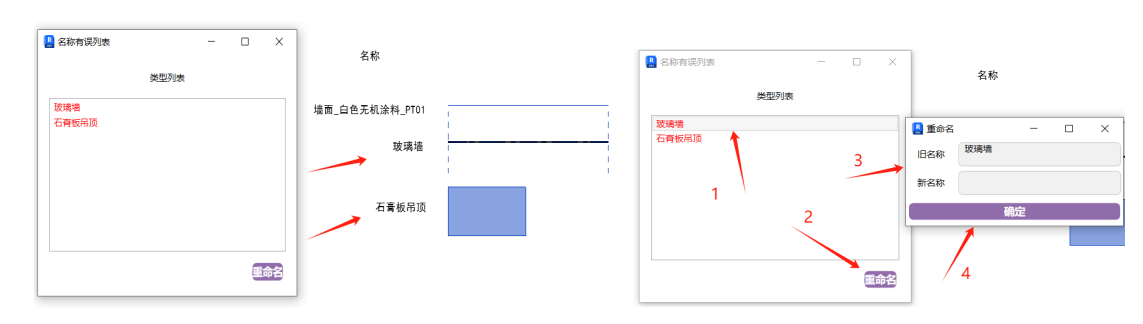
Types that don't conform to three-part naming are filtered out. Rename directly — no need to operate in the model.
# Rename

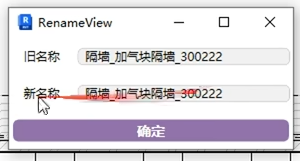
Quickly rename component names.
We recommend setting a custom shortcut key.
Select the component to rename, modify the new name in the popup, and confirm. Can continuously rename multiple components. Press Esc to end the current command.
Watch tutorial video on Bilibili → Rename (opens new window)